
Account, subscription and security
How do I turn on PIN code and Face ID?
Mihkel Vetemaa
Updated
Face ID is only available for Apple devices. PIN code is available for all devices that are supported by Bilance.
PIN code
-
To set up a PIN code go to the Account page.
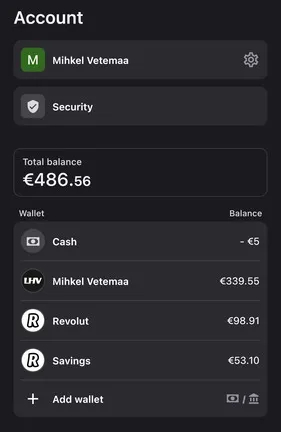
-
Tap on Security and press on the “Pin code”.
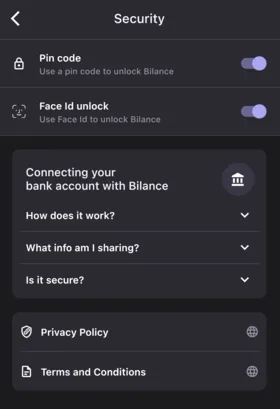
-
Enter and confirm your PIN.
Forgot your PIN?
You need to sign in again to your Bilance app and then you can set a new PIN code.
Face ID
- To set up Face ID you first need to set up a PIN code. This is needed if Face ID doesn’t recognize your face.
- Go to the Account page.
- Tap on Security and set up a PIN code.
- Then tap on the Face ID unlock and set up your Face ID.

Learn more about our commitment to protecting your security & privacy.
← PreviousHow can I delete my account and data?Next →Security & Privacy: Everything You Need to Know
New to Bilance?
Connect your banks and let the app do the categorizing — set up in about 2 minutes.