
Account, subscription and security
How can I delete my account and data?
Mihkel Vetemaa
Updated
If you decide to delete your account and financial data, you can do so at any time in the app. Alternatively, you can contact us through support for assistance.
⚠️ Please note: If you delete your Bilance account, your login info and all financial data, including bank account information, transactions, and budgets, will be permanently and irreversibly deleted.
⚠️ Please note: Your Bilance subscription won’t automatically cancel if you uninstall the app or delete your account. If you want to stop using Bilance, you should also cancel your subscription. See more details here.
How to delete your account if you have a subscription and can access the entire app:
- Navigate to the “Accounts” tab
- Tap on the “Settings” icon at the top of the screen.
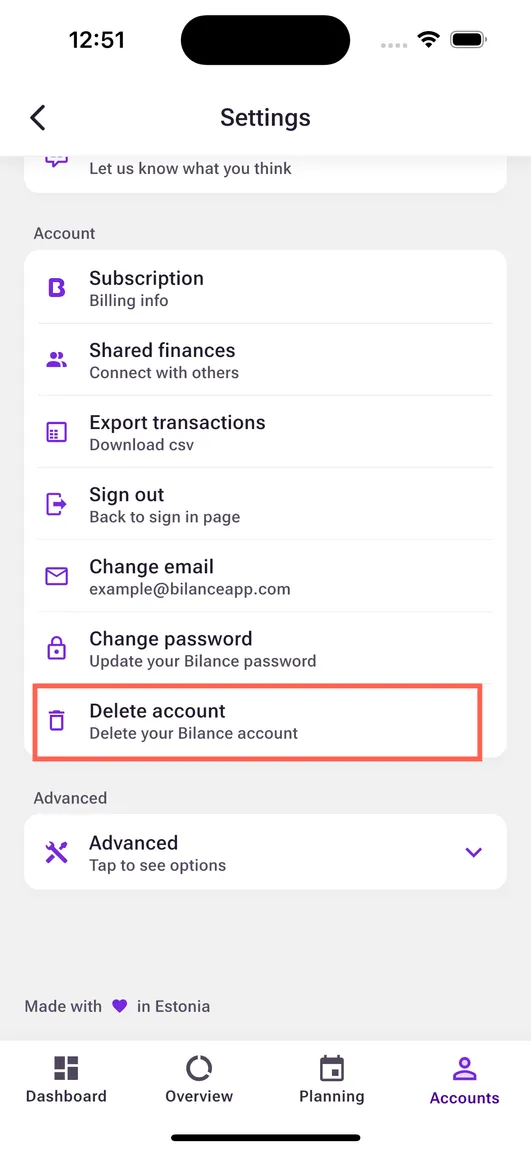
- Scroll down, tap on “Delete account” and confirm your choice. For data security reasons you might need authenticate yourself by signing out of your account and then back in again.
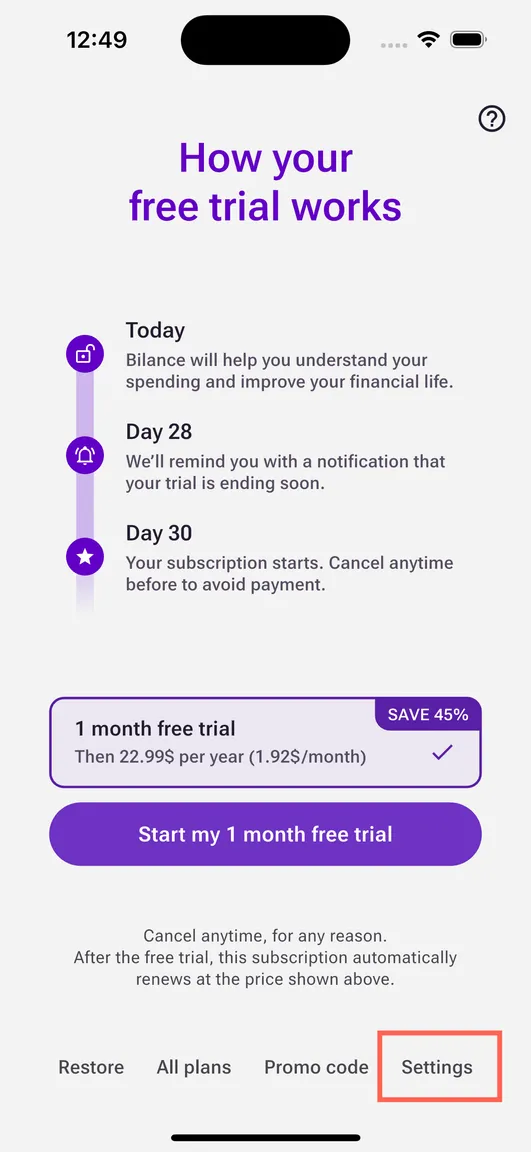
How to delete your account if you don’t have subscription and can’t access the entire app:
- Open the app and sign in.
- Continue to the paywall screen and press “Settings”.
 3. Scroll down, tap on “Delete account” and confirm your choice.
Alternatively, you can write to hello@bilanceapp.com to request account deletion. You have to write from the same email your account was created with.
Learn more about our commitment to protecting your security & privacy.
New to Bilance?
Connect your banks and let the app do the categorizing — set up in about 2 minutes.