
How to connect with Unicredit - Buddy Bank
Mihkel Vetemaa
Updated
Here’s how to connect with Italian Unicredit - Buddy Bank
-
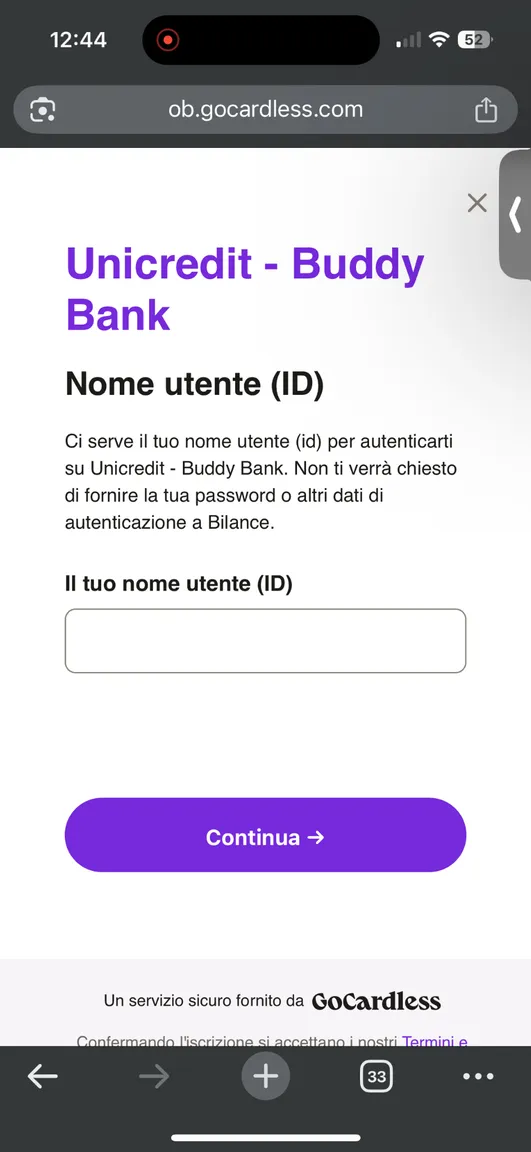
Choose Unicredit - Buddy Bank in the Bilance app and press “Continue”.
-
You need to enter your user name ID, also known as the Membership code “Codice di Adesione”. This can be found in your Buddy app.
-
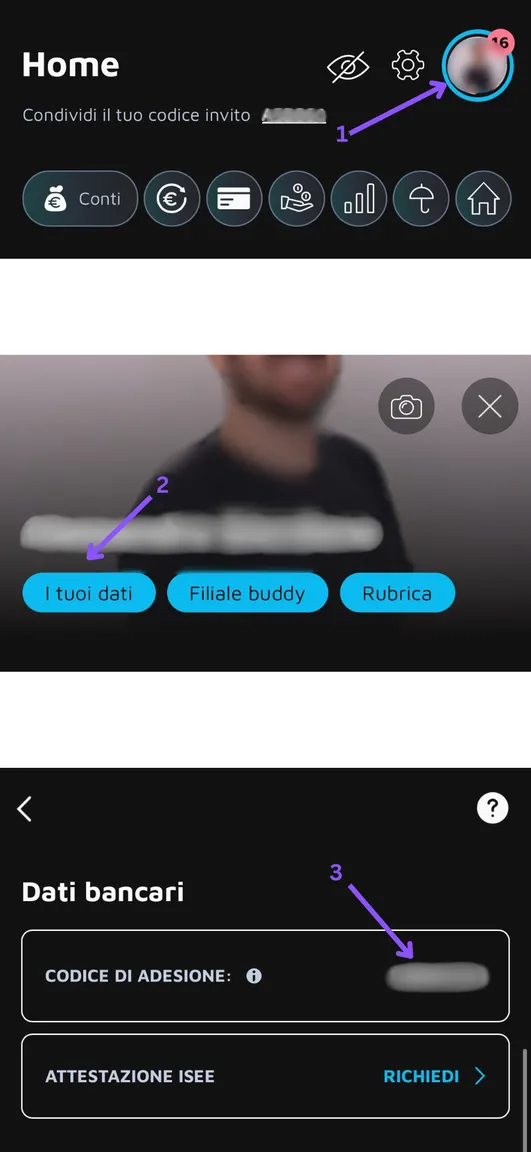
Find the Nome utente in the Buddy Bank app if you don’t know it by heart.
-
Press on your profile picture
-
Press on “I tuoi dati”
-
Copy the “Codice Di Adesione” number and enter it in the “nome utente” field
- The next step is to authenticate the read-only access for the Bilance app in the Buddy app.
4.1 Copy the PickUpCode
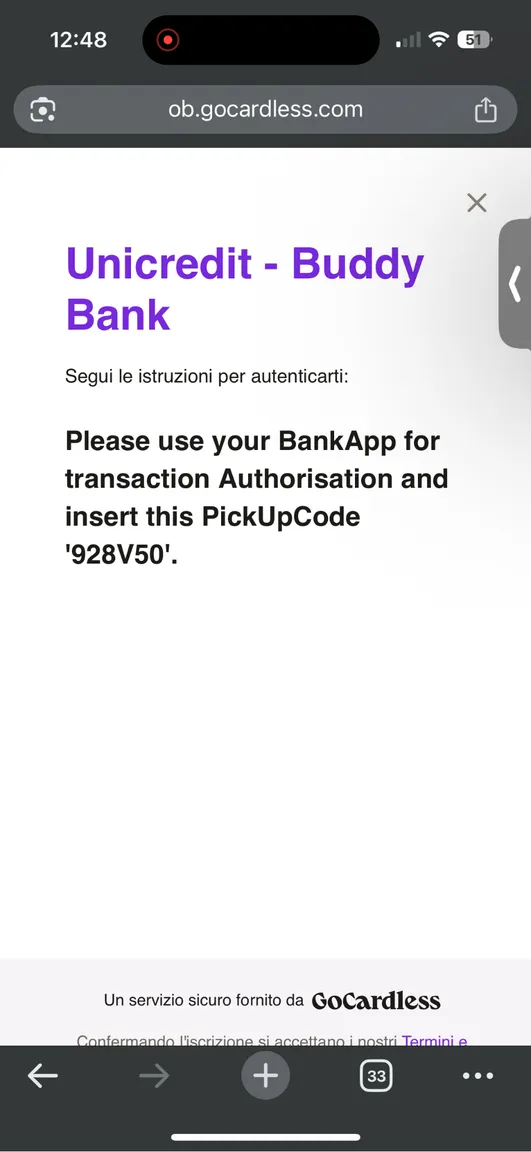
4.2 Enter the code in the Buddy app
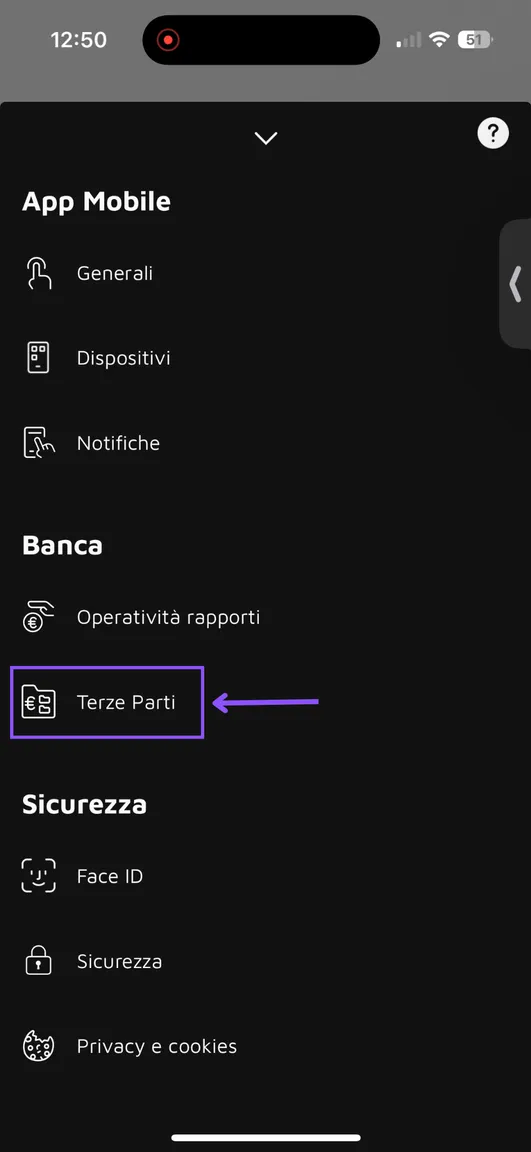
4.3 Press on the Settings button in the Budy Bank app
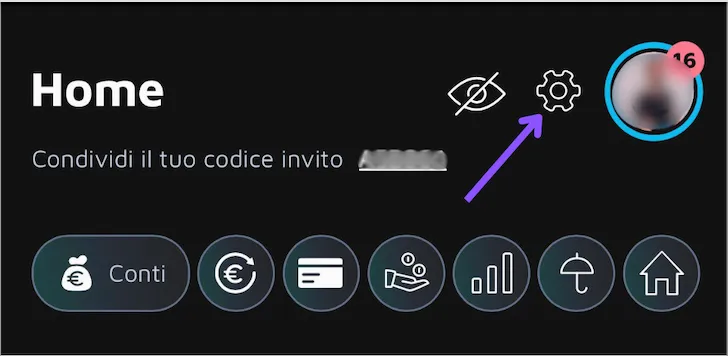
4.4 Press on Terze Parti
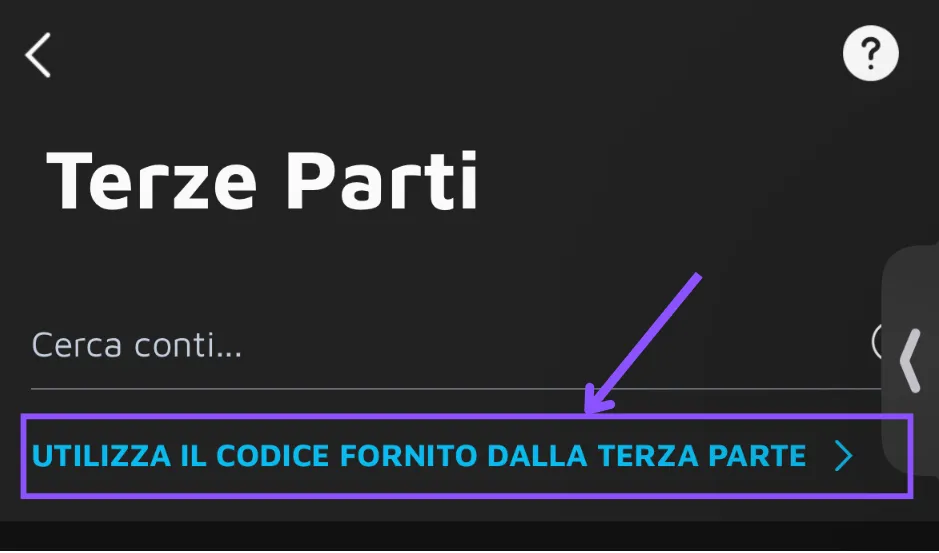
4.5 Press on the blue text “Utilizza il codice fornito dalla terza parte”
4.6 Enter the PickUpCode
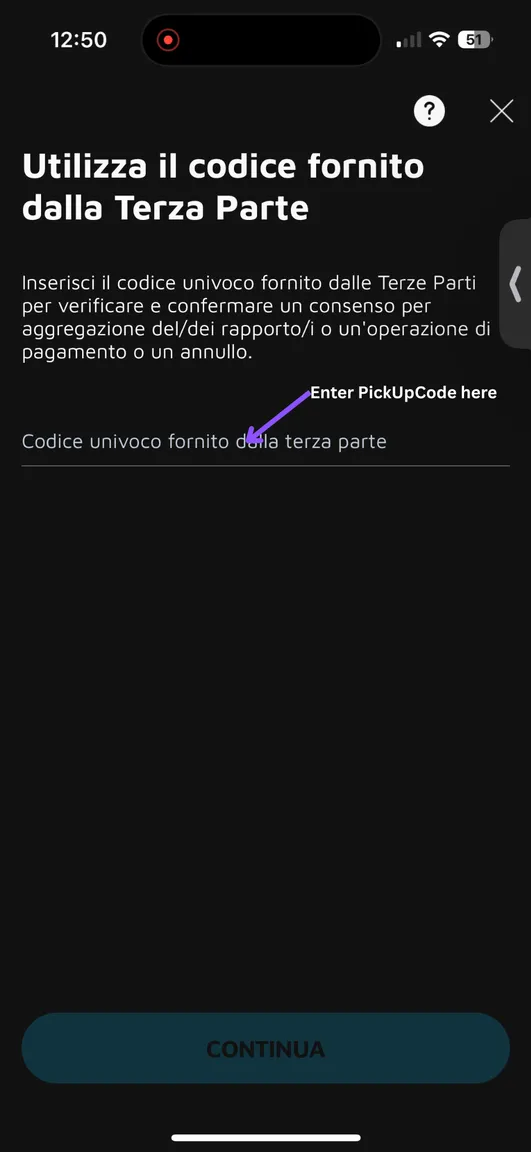
4.7 After entering and pressing Continueyou will see Process Completed message in the internet browser.
- Proceed to the Bilance app.
New to Bilance?
Connect your banks and let the app do the categorizing — set up in about 2 minutes.